Samsung Dishwasher Error Code LC
Leak sensor activated — water detected at base of dishwasher
The most common cause of the LC error on a Samsung dishwasher is overloaded detergent causing excessive suds and foam overflow (~35% of cases); start with: remove water from the base pan.
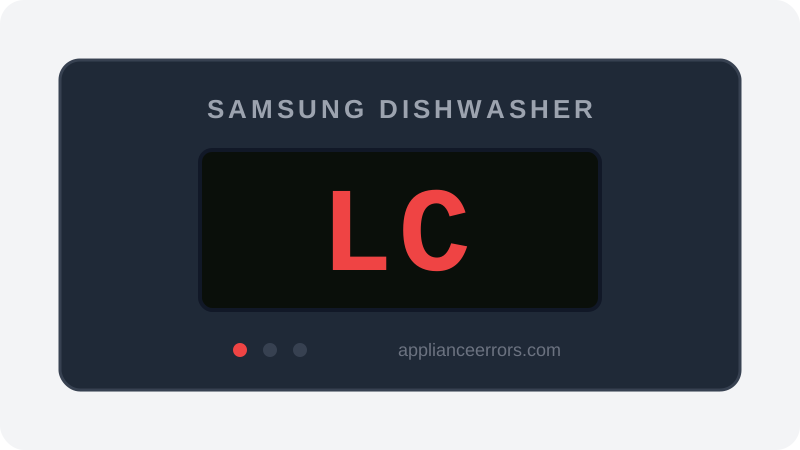
What Does Error Code LC Mean on a Samsung Dishwasher?
Leak sensor activated — water detected at base of dishwasher.
The LC code (also shown as LE or 1C) fires when the leak sensor or float switch in the base pan detects standing water. The control board interrupts the cycle and typically forces a continuous drain to protect against flooding until the pan is dry and the fault clears. Unlike drain-related codes such as 5C or overflow code OC, LC specifically indicates water has accumulated at the base rather than a blockage or drain-timing failure.
What Causes Error Code LC?
Here are the most common causes in order of frequency. Start with the most likely cause before moving to the next:
- 1 Overloaded detergent causing excessive suds and foam overflow 35% of cases
- 2 Loose or failed door seal allowing water to leak during cycle 25% of cases
- 3 Cracked or loose water inlet hose connection 20% of cases
- 4 Drain hose loose at pump connection 15% of cases
- 5 Wash arm cracked or broken, spraying water sideways 5% of cases
How to Fix Samsung Dishwasher Error Code LC
- 1
Remove water from the base pan
Tilt the dishwasher slightly forward (remove the bottom rack first) to drain accumulated water from the base pan. Use towels to soak up remaining water.
⚠️ Turn off power at the breaker before tilting the unit. - 2
Check detergent usage
If you used too much detergent or the wrong type (non-HE), this creates excess foam that overflows into the base. Use only dishwasher-specific detergent, maximum 1 tablespoon per cycle.
- 3
Inspect the door gasket
Run your hand along the entire door seal. Look for tears, hardened sections, or sections that have pulled away from the channel. A bad seal lets water out during the cycle.
🔩 Samsung dishwasher door gasket ($25–$60) - 4
Check all hose connections
Inspect the water supply line, inlet valve connection, drain hose at the pump, and drain hose at the sink drain. Tighten any loose fittings. Replace cracked hoses.
- 5
Inspect the wash arms
Remove the lower wash arm and check for cracks. A cracked arm sprays water at pressure against the base, triggering the sensor.
🔩 Wash arm replacement ($20–$50)
How to Reset Error Code LC
After removing water from the base pan and fixing the leak source, the sensor should reset automatically once dried. Run the dishwasher with no detergent on a short cycle to confirm.
Note: If the error returns after resetting, the underlying issue has not been resolved. Work through the fix steps above.
Did this guide fix your appliance?
✓ Thanks — your feedback helps us improve this guide for the next person.
Thanks for letting us know. If the steps above didn't work, see when to call a professional.
What went wrong? (one tap helps us fix this guide)
✓ Noted — we'll use this to improve the guide.
When to Call a Professional
If the leak source is not obvious and the LC code persists, the leak detection float switch itself may be stuck. A technician will be able to locate the exact leak path.
Related Error Codes
Same Code on Other Brands
Error code LC appears on these other brands too. See every brand that shows LC →


Find Replacement Parts
Use these links to find the exact replacement parts for your Samsung Dishwasher:
External links — ApplianceErrors.com is not affiliated with these retailers.
More Samsung Dishwasher Error Codes
Frequently Asked Questions
Can I keep using my Samsung Dishwasher when error LC appears? +
What most commonly causes LC on a Samsung Dishwasher? +
LC keeps coming back after a reset — what should I check next? +
How much does it cost to fix Samsung Dishwasher error LC? +
Which Samsung Dishwasher models show error LC? +
Sources & References
- • Samsung Support — Error Codes — official manufacturer documentation
- • Our editorial & verification policy
Content verified against manufacturer service documentation. Last verified: July 19, 2026.